Compatible with Alexa • Echo • Android • iPhone (iOS) • Windows 10 & 11

Voice Control & Turn Off Your PC with Amazon Alexa

Never get out of bed just to shut down your computer again. Power off, sleep, lock your workstation, and shut down monitors by voice or tap using your Amazon Echo, Android phone, or iPhone — zero port forwarding required.

Works with:
Echo & Alexa Android iPhone (iOS) Windows 10 & 11
Zero open ports on your router (Outbound AWS TLS)
Installs in under 2 minutes (Featherweight ~30 KB agent)
60s safety notice with instant voice cancel protection
Windows Agent Connected
Echo • Android • iPhone
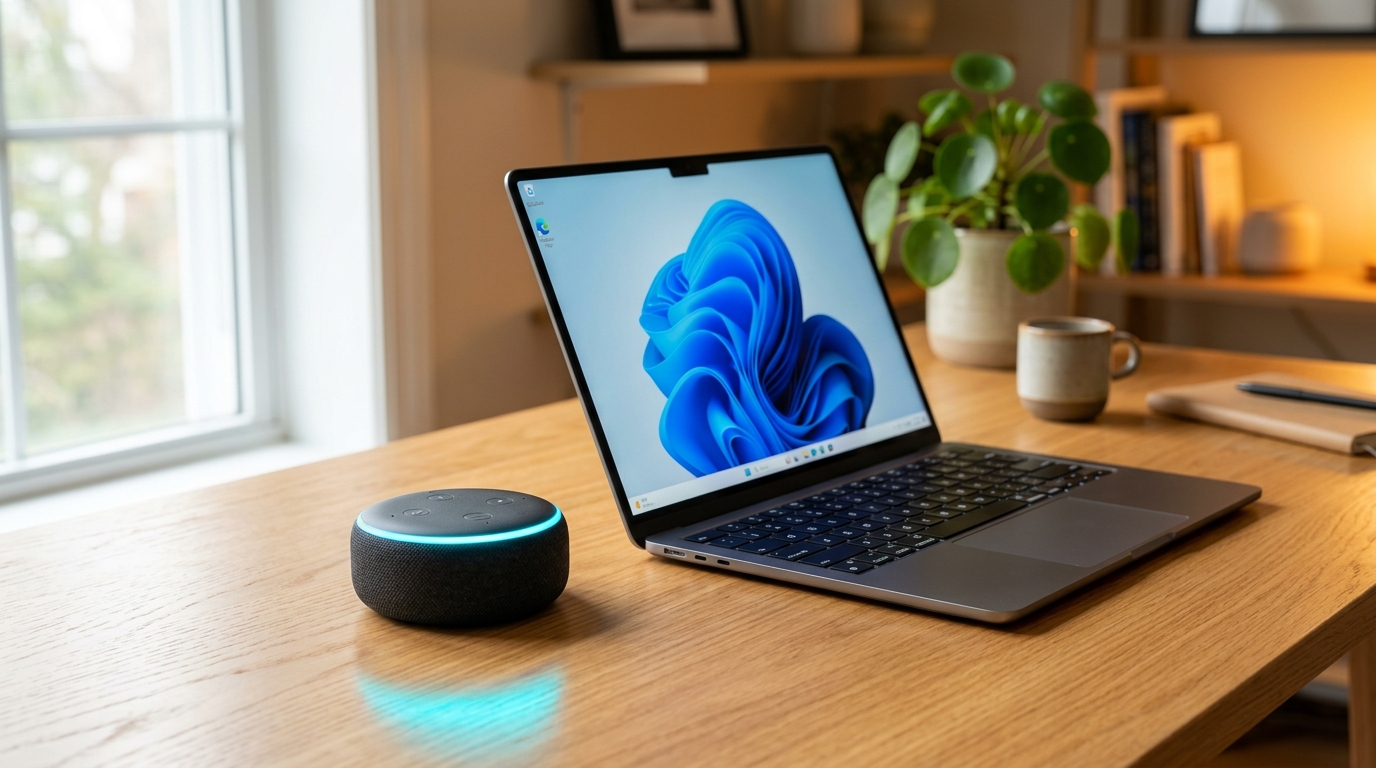
Amazon Echo Dot beside a modern Windows 11 laptop on a clean desk setup
Echo, Android & iPhone Ready
💻 Windows PC Ready for Voice Commands
Tap a command below to preview instant real-time response:
Try voice commands:

5 Voice Commands That Transform Your Daily Routine

Everything you need to manage your Windows desktop or laptop hands-free from anywhere in your home or on your mobile device.

Smart Home Device
"Alexa, turn off Computer"

Safe Shutdown with Warning

Triggers a shutdown with a 60-second safety countdown so you can save any unsaved work. Changed your mind? Just say "Alexa, turn on Computer" to cancel immediately!

Emergency voice cancel protection included
Smart Home Device
"Alexa, turn off Monitor"

Powers Down Display Instantly

Ideal when downloading large games, rendering videos, or streaming sleep audio at night without bright monitor glare lighting up your bedroom.

Saves power & prevents display burn-in
Smart Scene
"Alexa, activate Lock Computer"

Instant Privacy Protection

Need to step away quickly? Lock your Windows workstation by voice to protect your files, open work, and privacy instantly the moment you leave your desk.

Standard Windows Lock Station protocol
Smart Scene
"Alexa, activate Sleep Computer"

Low-Power Sleep Mode

Puts your PC to sleep with near-zero energy consumption. Everything stays in memory ready to resume instantly the second you wake it.

Preserves your entire workspace state
Smart Scene
"Alexa, activate Restart Computer"

Reliable Remote Reboot

Installed a system update or need to refresh RAM? Ask Alexa to reboot cleanly with warning notice without having to sit down at your workstation.

Perfect for home offices and gaming rigs

Security by Design. Nothing Infiltrates Your Network.

Unlike insecure scripts that expose open ports to the internet, our architecture uses strict outbound AWS TLS encryption.

Zero Open Ports on Your Router

You do NOT need to configure Port Forwarding, DMZ, UPnP, or DDNS. The Windows agent strictly makes outbound HTTPS polling connections to the AWS cloud.

Strict 5-Action Whitelist

The agent only executes the 5 defined actions and discards any unauthorized commands. Zero arbitrary script execution or code injection.

Absolute File & Data Privacy

The app does not read your files, does not record screens, has zero access to webcams or microphones, and never logs keystrokes.

Compare Architectures

Insecure Alternatives
Open Router Ports & Public IP

Require opening ports 80/443/3389, expose your residential IP to internet scrapers, and execute uncontrolled arbitrary terminal scripts.

PC Power Off Skill
Outbound Secure Connection (AWS)

Zero open ports. End-to-end TLS encryption. Unique encrypted agent key with official Login with Amazon code pairing.

Ready in Less Than 2 Minutes

No complex network setup, router modifications, or advanced technical skills required.

01

Download Lightweight App

Download the native Windows app (~30 KB). It launches silently on startup with minimal memory and requires no administrator rights.

No admin rights required
02

Pair with Alexa (Echo, Android or iPhone)

Open the official Amazon Alexa app on your Android smartphone, iPhone, or use any Echo device. Search for PC Power Off, tap Enable to Use, and link with your Amazon account. Your 5 PC control scenes are discovered automatically in seconds.

Echo Android iPhone
Login with Amazon Secure Pairing
03

Speak & Relax

Say: "Alexa, turn off Computer" to your Echo speaker in the bedroom, or speak into the Alexa app on your Android smartphone or iPhone on your way out. Your PC responds instantly with maximum comfort.

Sub-second cloud response

Fair, Transparent, and Affordable

The Alexa Smart Home skill is completely free to enable. You only purchase the Windows app license after an included risk-free trial!

Try first: 14 Days Free Trial automatically included on your first pairing!

Free Trial

Experience every single feature in your daily routine before deciding.

$ 0 / 14 days
No credit card required & no commitments
  • All 5 voice commands enabled
  • Direct Amazon Alexa cloud connection
  • Works on Echo, Android & iPhone
  • Quick setup and support
Download & Try Free
Unconditional 7-day money-back guarantee. If you are not satisfied, receive a 100% full refund.

Frequently Asked Questions

Everything you need to know about compatibility, technical operation, security, and licenses.

Yes, absolutely! You do not even need an Amazon Echo smart speaker. You can control your PC using voice or one-tap routines directly inside the official Amazon Alexa app for Android smartphones, tablets, iPhones, and iPads (iOS). Whether you are in the kitchen, heading out the door, or lying in bed with your phone, simply speak into the Alexa app or tap your device scene to turn off, sleep, or lock your PC.
No! This is the major advantage of our architecture. The Windows app only makes outbound HTTPS requests to the AWS cloud, exactly like your browser opening any webpage. No port forwarding, NAT, DMZ, or UPnP configuration is ever needed.
No. When the computer is powered completely off (S5 state), the Windows software is not running to receive instructions. Saying "Alexa, turn on Computer" acts as an emergency cancel trigger during the 60-second shutdown countdown window if you triggered a power-off by mistake.
Yes! It works seamlessly on both desktop PCs and laptops running Windows 10 (64-bit) or Windows 11 with an active internet connection. On laptops, commands like sleep, display off, and lock work regardless of whether the lid is open or closed when connected to external monitors.
Yes! For safety, when you say "Alexa, turn off Computer", Windows displays a 60-second warning countdown on your screen. Just say "Alexa, turn on Computer" or tap 'Turn On' in the Alexa app, and Windows aborts the shutdown immediately without losing your work.
Zero noticeable impact. The app is an ultra-lightweight native Windows executable (~30 KB download) that uses less than 25MB of RAM and virtually 0% CPU. It runs quietly in the system tray and will never impact your gaming frame rates, video editing, or background work.